Released iOS app

Create polished ensemble videos right on iPhone and iPad.

Manytone gives musicians a native Swift workflow for fast multi-track recording, confident retakes, live mix shaping, and reliable final export.

[Placeholder: iPhone screenshot]
[Placeholder: iPad screenshot]

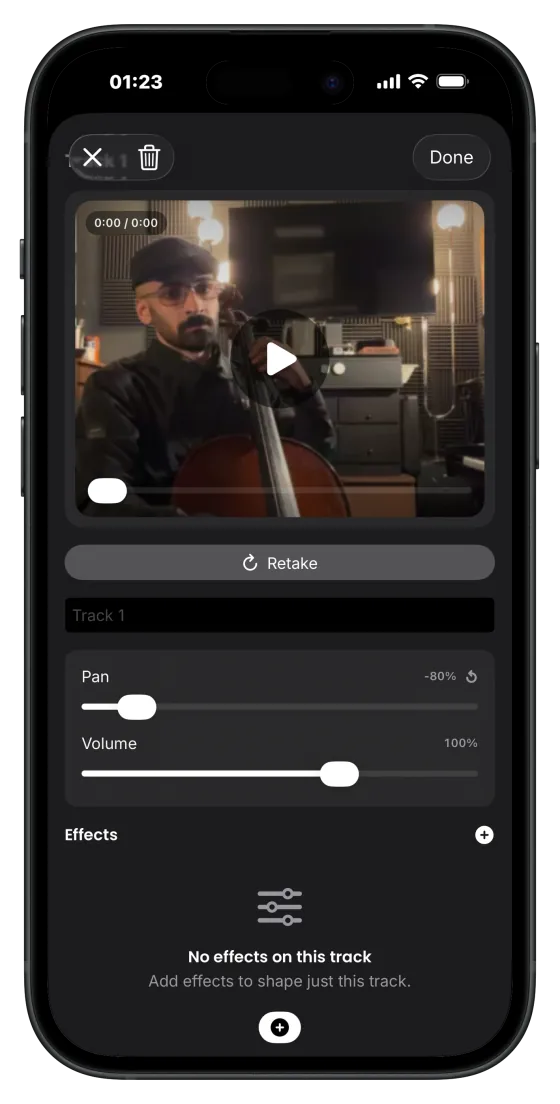
A mobile-native interface that keeps the full workflow visible: record, retake, mix, and export without context switching.

Built natively in Swift

Media flow tuned for Apple frameworks instead of generic abstractions.

Optimized for iPhone + iPad

Mobile-first capture on iPhone and larger arrangement control on iPad.

Low-latency monitor pipeline

Hear layer changes quickly while you work so timing decisions stay musical.

Reliable export state

Clear generate/export status with diagnostics that reduce guesswork.

Designed for creators who need both speed and control.

Ensemble Sync Visualization

What this shows: performers aligning to a shared beat pulse. Why it matters: your layered parts feel tighter without manual timeline surgery.

Beat-locked starts that stay tight

Launch every take from deterministic count-in timing so layered performances align naturally.

COUNT-IN

Retake one part, keep the rest

Re-record any slot in your grid without resetting your full arrangement or breaking momentum.

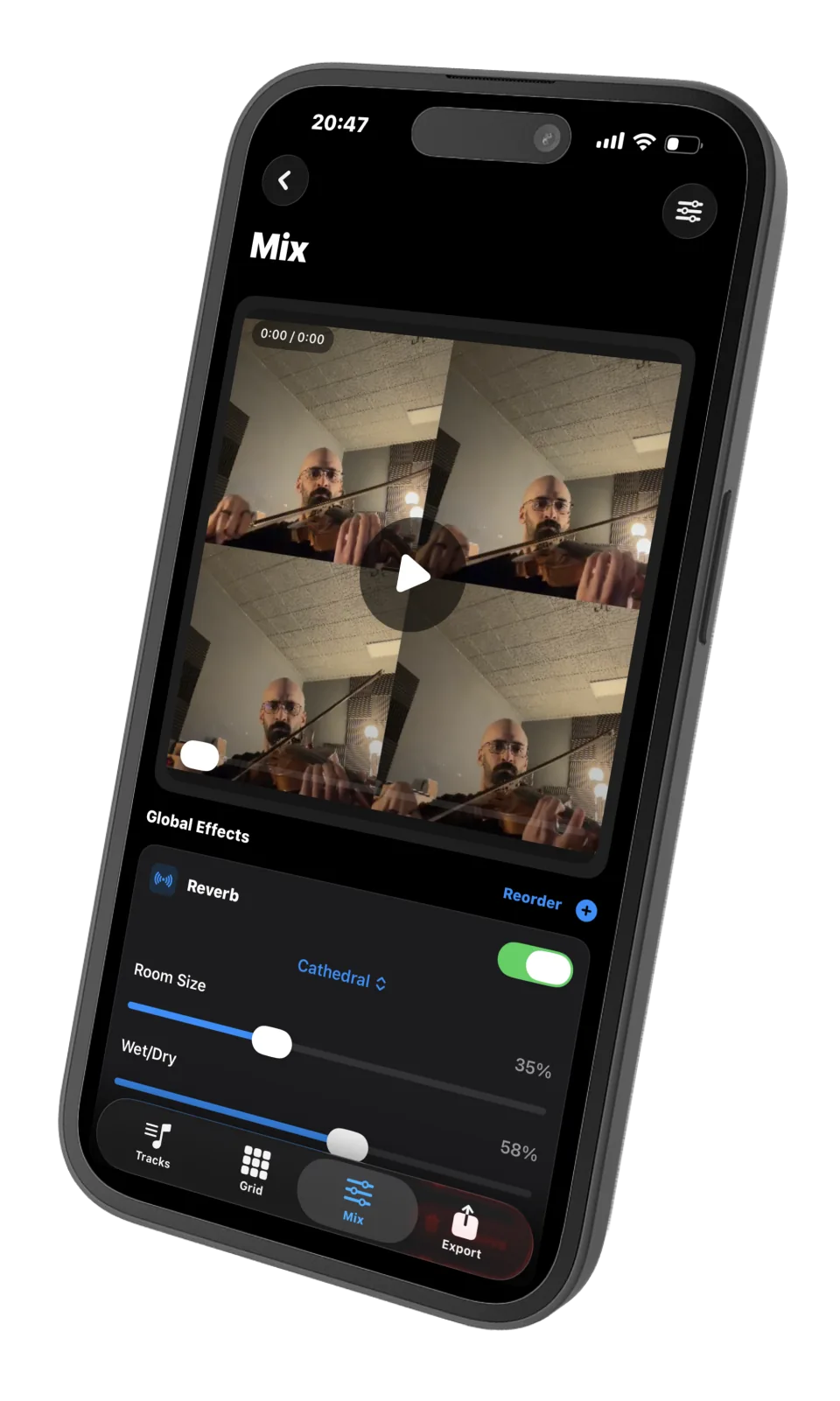
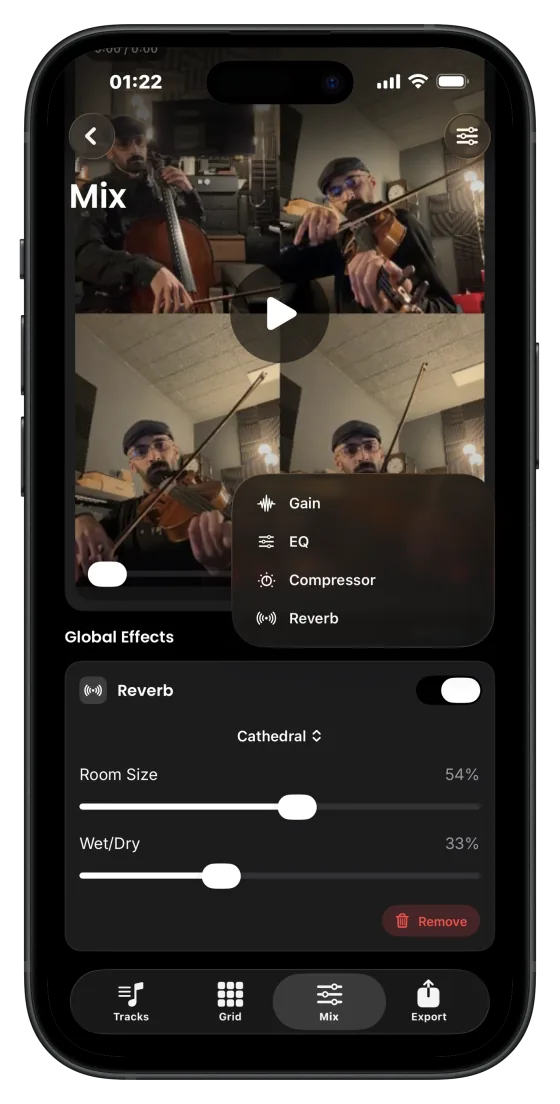
Mix while you create

Adjust gain, EQ, compression, and ambience with live monitoring so your decisions happen in context.

Generate and export with confidence

See clear output state, regenerate when media changes, and ship polished multi-track video faster.

Prepare
Render
Mux
Ready

Record, retake, mix, export. That's the loop.

01

Record

Capture into any slot with camera + mic.

02

Retake

Replace only the part that needs work.

03

Mix

Shape layers in real time with effect controls.

04

Export

Generate and share a polished final video.

A quick look inside the app

[Placeholder: iPad screenshot of project grid workspace]

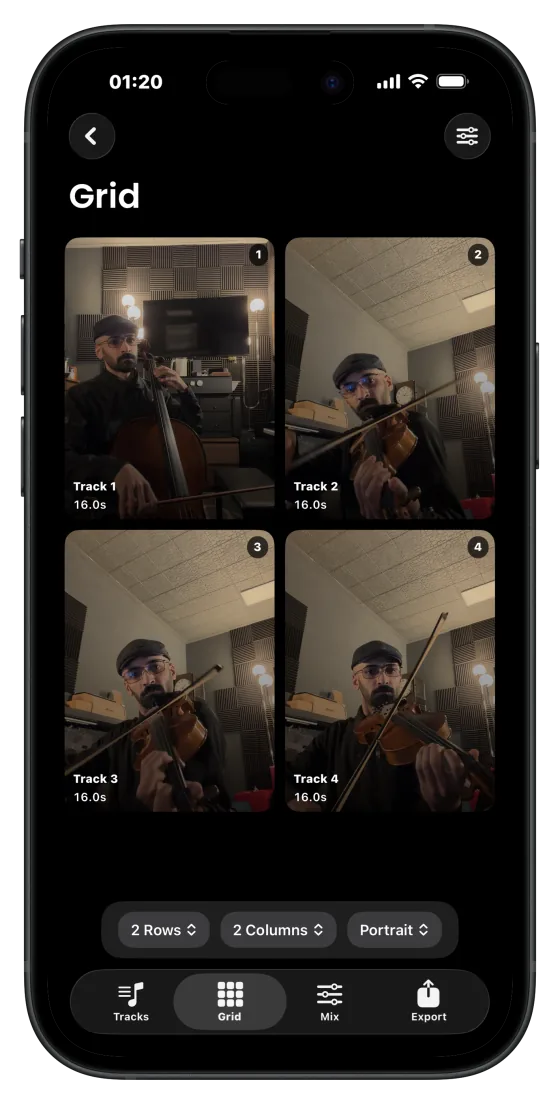
Grid workspace

Track-by-track overview with clear slot state and retake access.

[Placeholder: iPhone screenshot of active recording screen]

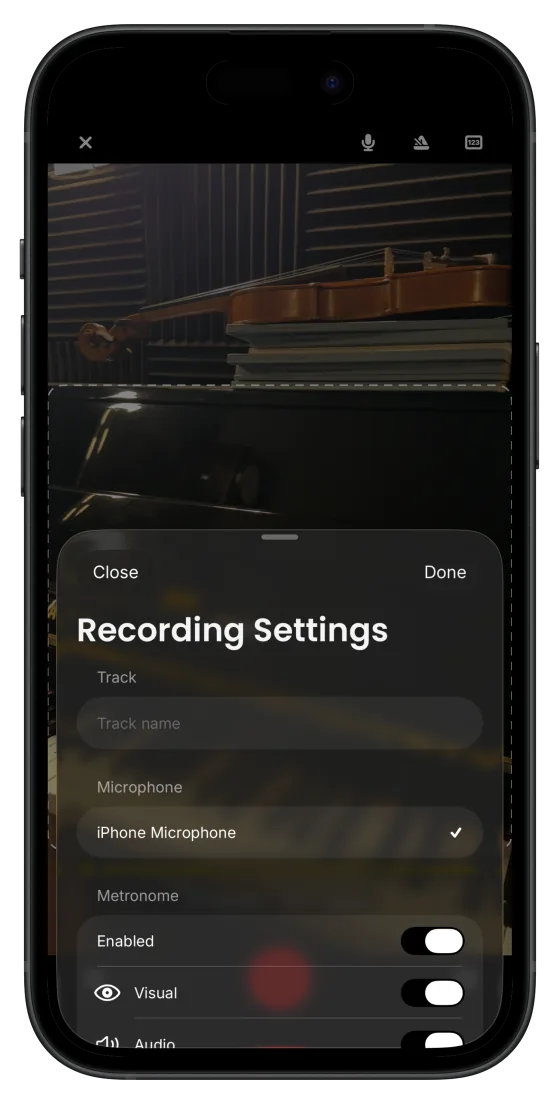
Record flow

Focused capture UI with deterministic count-in and review actions.

[Placeholder: iPad screenshot of mix/effects editor]

Mix controls

Real-time effect adjustments while auditioning all layers together.

[Placeholder: iPhone screenshot of export tab and status]

Export status

Generate and export states with progress feedback and reliability cues.

[Placeholder: iPhone screenshot of project initialization wizard]

Project setup

Fast initialization wizard to define tracks and start immediately.

Frequently asked questions

Is Manytone iOS only?

Yes. Manytone is currently available for iPhone and iPad so capture, monitoring, and export can stay deeply optimized for Apple hardware.

Is it native or cross-platform?

Manytone is built natively in Swift with Apple media frameworks, which supports tighter performance and reliability in recording and export workflows.

Does it work on iPad?

Yes. iPad support is first-class, especially when you want a larger grid and mix workspace.

Can I use external microphones?

Yes. Manytone supports built-in and external microphone route selection for flexible recording setups.

Where do I get updates?

Public updates ship through the App Store release track and our release notes page.

Ready to build your next performance video on iOS?

Download Manytone on the App Store and start recording your first layered arrangement in minutes.